Control the display of CCTV defects in InfoAsset Manager
Control which CCTV defects are displayed on the GeoPlan.
Control the display of CCTV defects in InfoAsset Manager
Step-by-step guide
In InfoAsset Manager, the display of CCTV survey defects can be controlled on the GeoPlan window for collection networks. You can choose to show defects of a particular type, defects at or above a specified grade, and defects that are recorded in CCTV surveys marked as current.
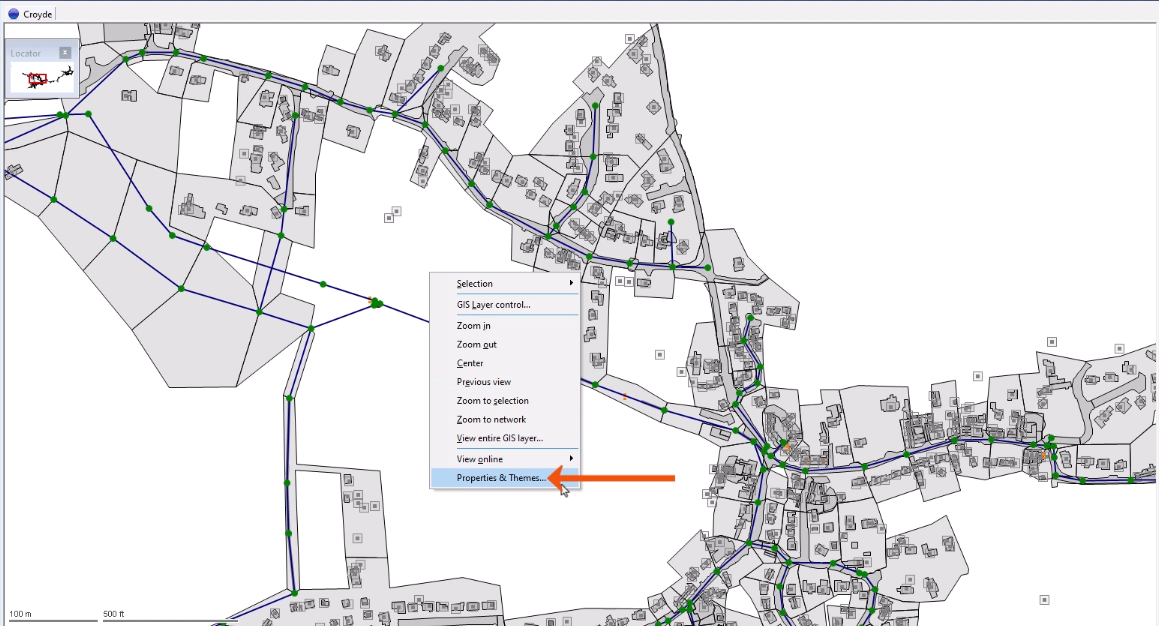
- Right-click the GeoPlan and select Properties & Themes.
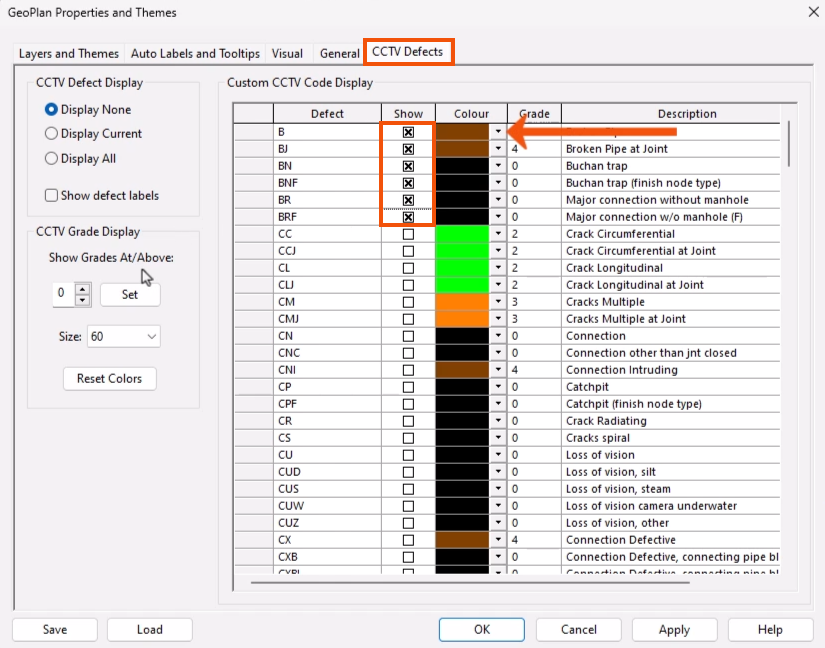
- In the Properties and Themes dialog, select the CCTV Defects tab.
The Custom CCTV Code Display grid enables control over exactly which types of defects are shown.
- In the Show column, select the checkbox to display a specific defect type.
- Change the default color for a defect type to make it stand out on the GeoPlan.
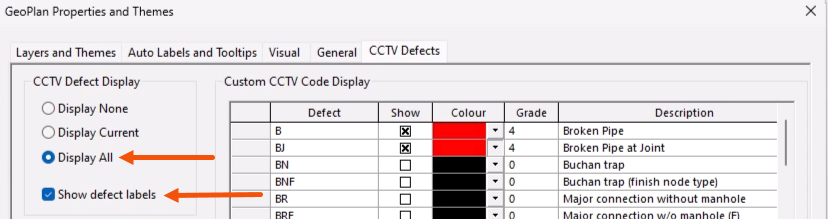
- In the CCTV Defect Display group, select a general display option, such as Display All.
- To auto-label all defects shown with the defect code, select Show defect labels.
The CCTV Grade Display group provides a quick way to control the Show settings in the grid.
- Choose a Defect Grade of between 0 and 5, such as 3.
- Click Set.
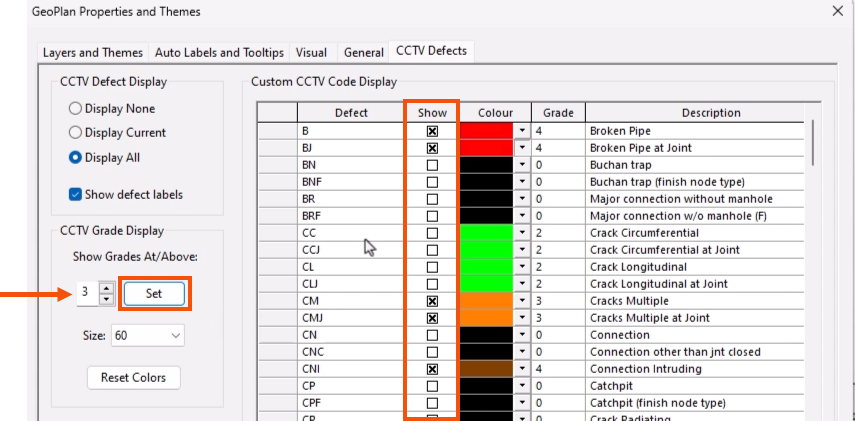
This selects the Show column for all defects with a grade equal to or greater than the grade selected.
- Use the Size drop-down to set the defect symbol size.
- Click Apply to apply the changes to the GeoPlan.
- Click OK to finish.
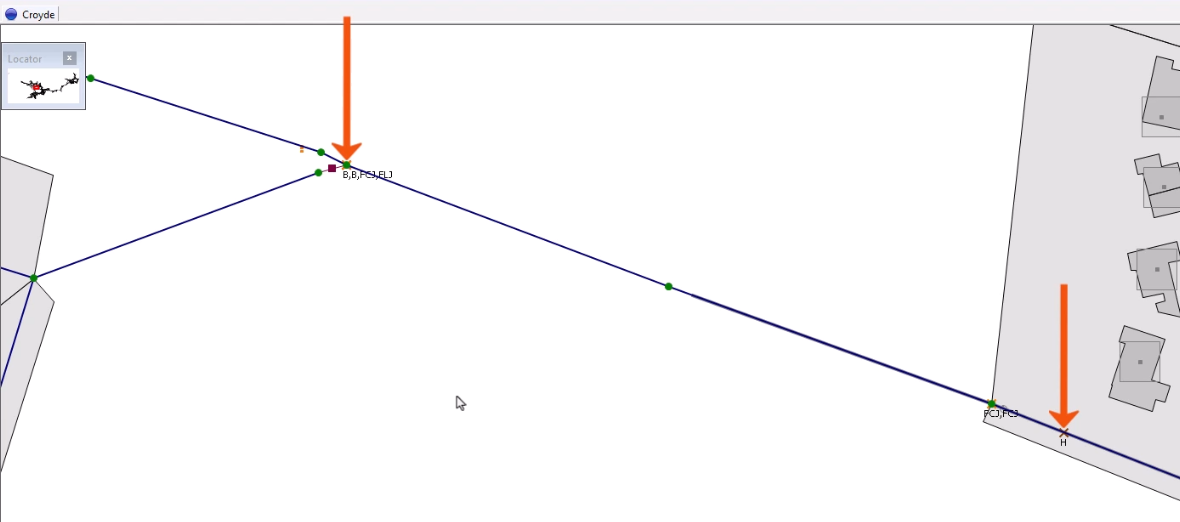
Defects are displayed as a cross at the point on the survey where the defect is recorded, in the color selected for that defect grade.