Update network from CCTV survey data
Create nodes based on CCTV survey data.
Update network from CCTV survey data
Step-by-step guide
When working with CCTV surveys data in InfoAsset Manager, certain defect codes are used to state the locations of physical assets, such as manholes and junctions. The Update Network from CCTV Survey Data tool can be used to search for specific defect codes and create nodes at the corresponding locations. For example, the update tool can be used to automatically generate nodes at surveyed connection locations.
The newly created nodes can either be added as lateral nodes or inserted into existing pipes. When inserting nodes into pipes, there is also an option to automatically split the associated CCTV surveys.
To update the complete network or a selection of CCTV surveys:
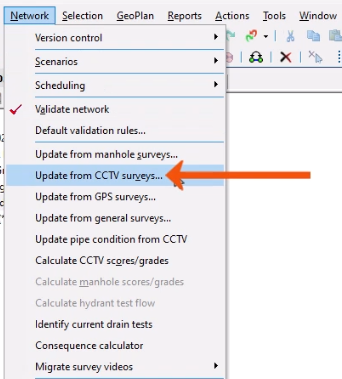
- From the Network menu, select Update from CCTV surveys.
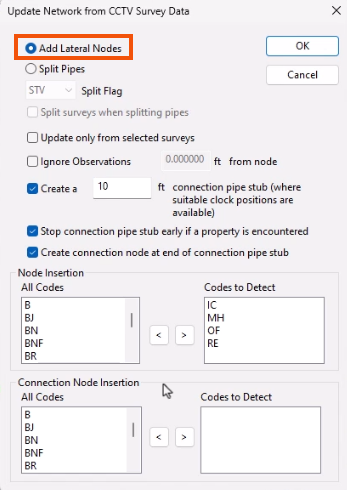
- In the Update Network from CCTV Survey Data dialog, select whether the nodes should be added as lateral nodes or inserted into existing pipes. In this case, select Add Lateral Nodes.
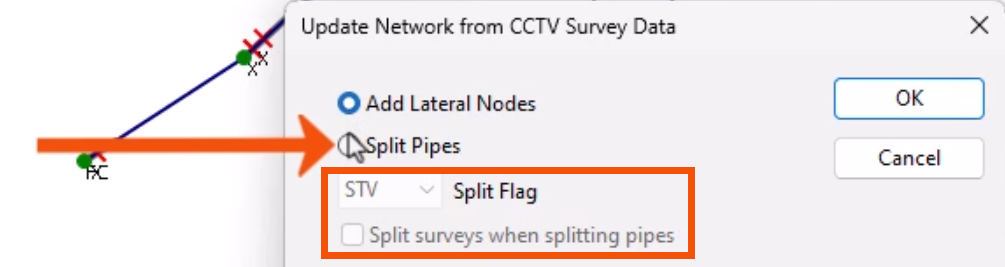
Note that selecting Split Pipes enables additional options to split surveys and to apply a selected Split Flag to pipe fields that are recalculated due to splitting.
- For this example, leave Update only from selected surveys deselected, as this option applies updating to the current selection of CCTV Surveys only.
- In the Node Insertion and Connection Node Insertion groups, confirm or edit the defect codes at which new nodes will be created.
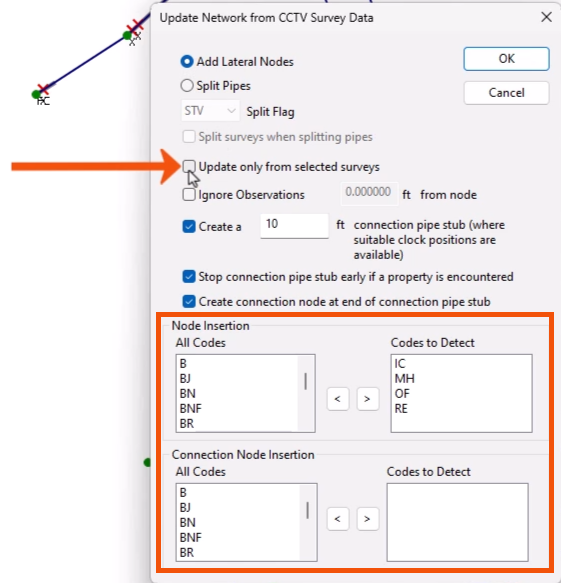
- Click OK.
Each CCTV survey is evaluated against the defect codes included in the Codes to Detect boxes. When a selected code is detected, a node is created using the options specified in the dialog.
A message log displays information including the number of nodes, pipes, and surveys created.
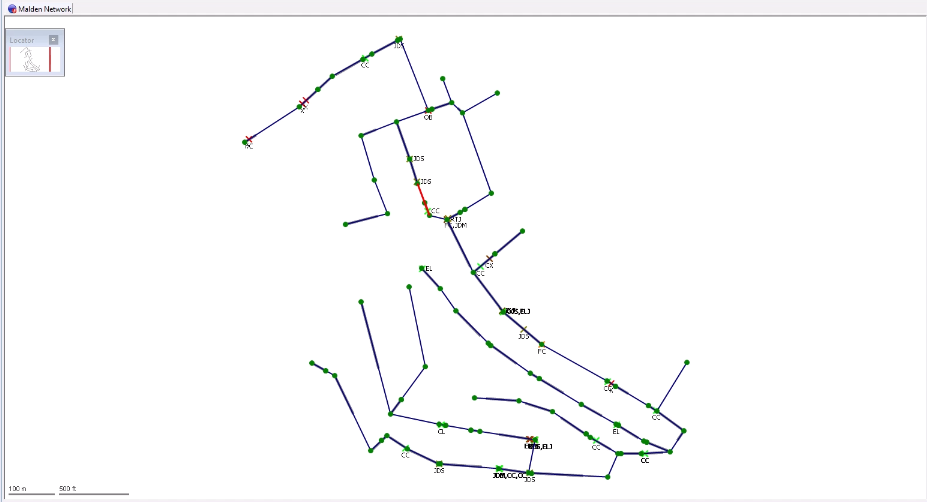
- Back in the GeoPlan, review the assets inserted into the network.