Get help with Download and install
Installation for individuals
Update your software
You can access updates for your Autodesk software in two ways. You can download them from your Autodesk account or get them through the Access application that's included with Autodesk products for Windows.
Get updates from Autodesk account based on release date
Sign in to your account at manage.autodesk.com.
Open the Products and Services tab and select Product Updates.
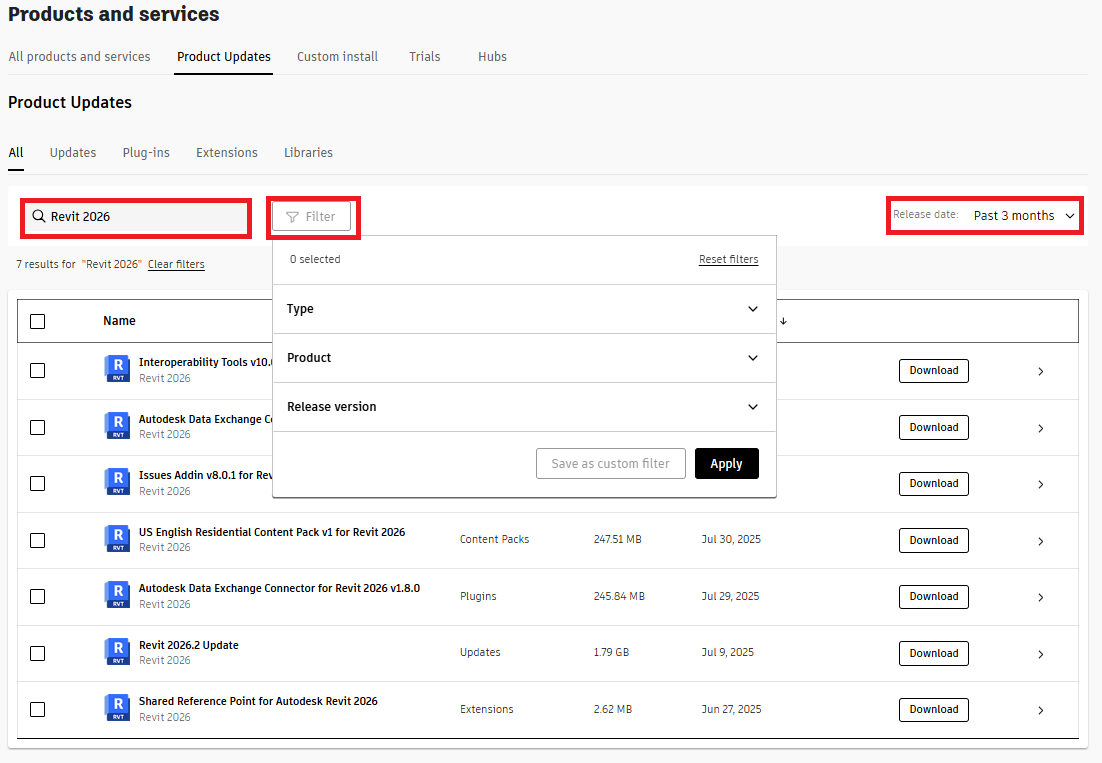
Search for an update in the Search field or you can search by Filters and Release date. To save a filter, click “Save as custom Filter”.
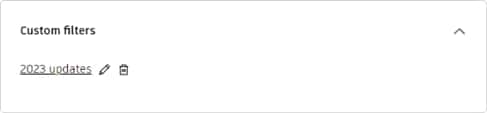
To rename a Custom Filter select the "pencil icon" then rename and click Apply to set the filter.
Get updates from the Access application
Autodesk Access delivers updates for Autodesk products, services and components that are installed on your operating system (Windows only) and is available with your subscription. Autodesk Access is normally included and installed alongside the installation of an Autodesk product. If not already installed you can download Autodesk Access here.
If a product, service, or component is already on the latest version, no updates will be shown.
Launch Autodesk Access
Select the Windows icon at the bottom left of your screen and type Autodesk Access in the search field.
In the results, open the Autodesk Access App.
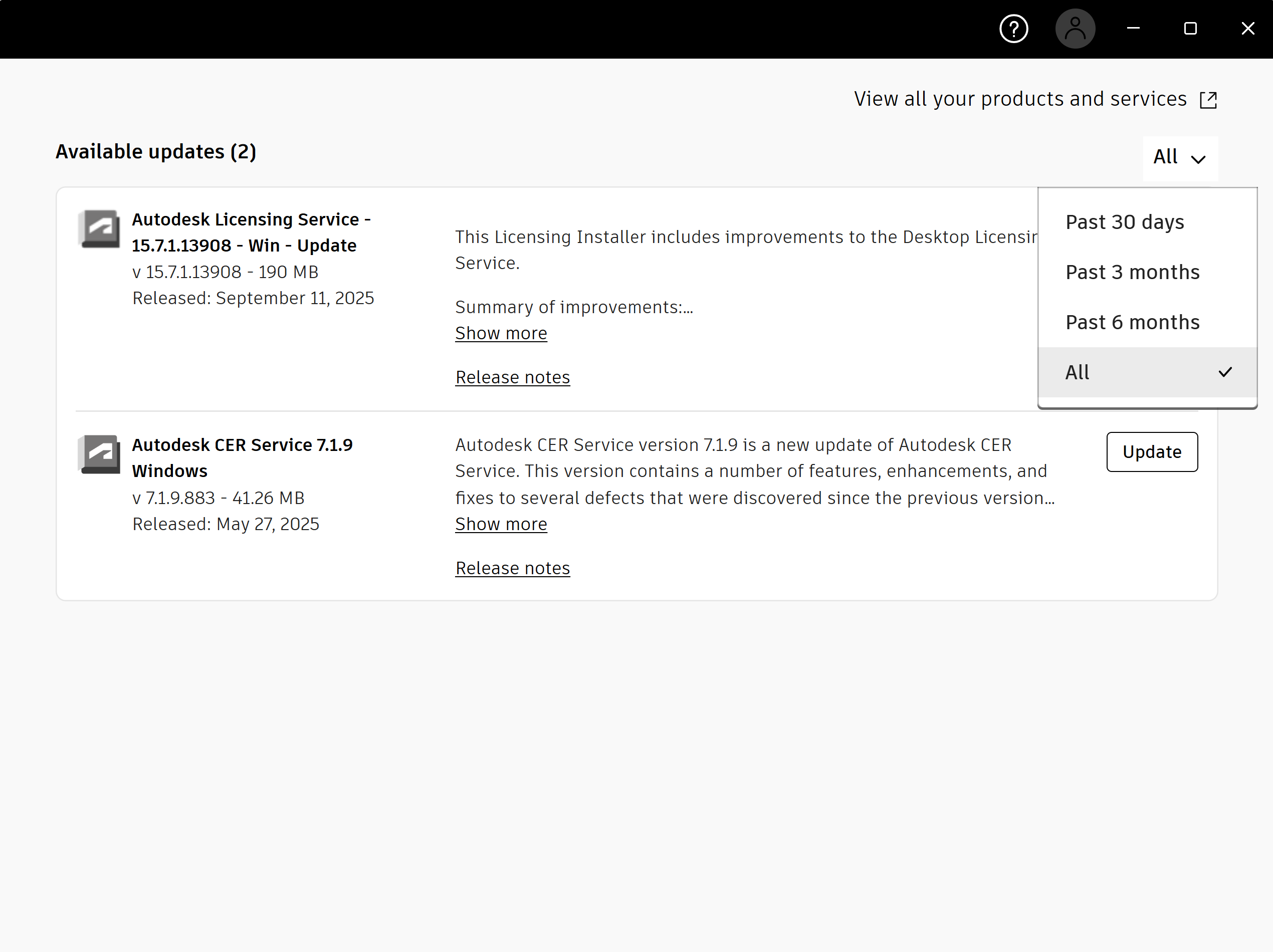
Look for available updates and click update to install.
To search a time period, click the drop-down. For all product and service updates, click “View all your products and services” which will open your Autodesk account. Then, go to the “Products Update” tab to see all updates for all your products, services, and components, which are installed or not.
If you're an admin, Access is built with you in mind, with settings you can use to control your users' ability to update their software. This will help you distribute updates and keep your products current. You can manage use of access in different ways, depending on your requirements and the capabilities you want your users to have. To learn more, see Access Help.
Related resources
Need help? Ask the Autodesk Assistant!
The Assistant can help you find answers or contact an agent.
What level of support do you have?
Different subscription plans provide distinct categories of support. Find out the level of support for your plan.
View levels of support