Plant 3D toolset is included with AutoCAD 2027

Create and edit piping and instrumentation diagrams (P&IDs) and 3D models, and extract piping orthographics and isometrics with an industry-specific toolset for plant design. With the Plant 3D toolset, you can:

  • Collaborate securely in a cloud-based common data environment  

  • Speed up and automate P&ID drafting and 3D modeling with in-context commands  

  • Automatically create piping isometric drawings directly from the 3D model  


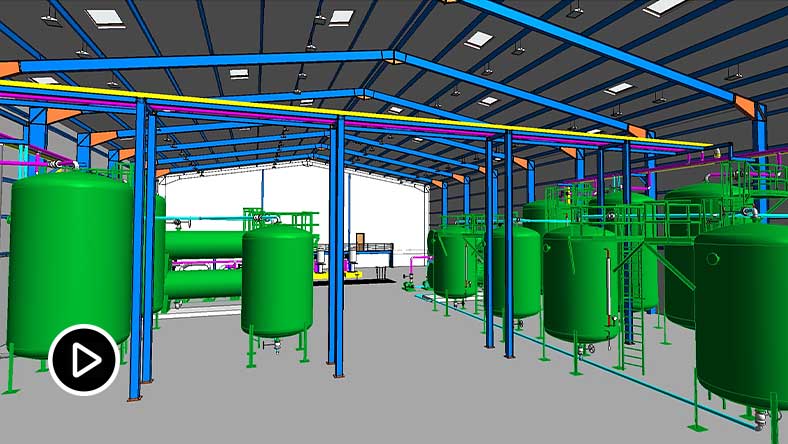
Model of a piping system in a plant designed with the AutoCAD Plant 3D toolset

Plant 3D toolset features

New features in AutoCAD Plant 3D 2027

Spec Editor enhancements

This is a continuous improvement for the new Spec Editor introduced in 2026 release, with numerous experience improvements in Spec Editor, Catalog Editor and Branch Table.


P&ID improvements

Added more selection methods for instruments, like those with the same loop number, allowing you to easily select and change properties of instruments more efficiently. 


Shared tool palettes

Tool palettes can now be shared with project collaborators by leveraging Connected Support Files with Autodesk Desktop Connector. When the Project Administrator updates the tool palette, the changes apply to all users who open collaboration projects within the same Autodesk project.


Share Selection List improvements

The Selection List Property dialog box has been redesigned to allow individual unshared selection lists to be converted to shared lists across P&ID and 3D piping classes, and vice versa.


Multi-sheet isometric drawing

Create an isometric drawing with multiple sheets, significantly reducing the total number of isometric drawings in a project.


Completion rate for 3D piping

Estimate the completion rate for 3D piping against P&ID design, displaying it in the P&ID Line List palette, providing additional insight into project progress.


Collaboration and P&IDs

P&ID enhancements in visualization and mapping

The visualization of specific P&ID dialogs has been improved to enhance the user experience. Also, the mapping of child classes from parent classes has been improved for increased ease of use.


Collaboration workflow enhancements

Project functionalities see improvements with shared selection lists, a modern project backup and audit interface, and the ability to update project names directly from Project Setup, ensuring consistency and ease of management.


Collaboration for Plant 3D

Collaborate on plant design models across project teams and maintain compliance requirements—all in a cloud-based common data environment.


Quick P&ID drafting

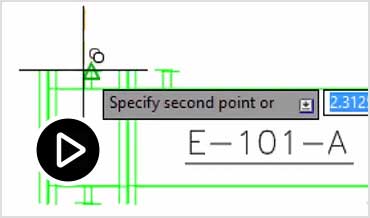
Use in-context AutoCAD commands to make P&ID drafting easier. (video: 58 sec.)


Industry-standard symbol libraries

The Plant 3D toolset is delivered with standard symbol libraries in the tool palettes. These include PIP, ISA, ISO/DIN, and JIS.


Data validation

Quickly identify possible errors by scanning P&IDs for data consistency according to user-definable rules.


3D modeling

3D modeling enhancements

AutoCAD Plant 3D features new substitution menu options for reducing fittings and equipment nozzles. Enjoy optimized performance with a default visual style adjustment to Shaded. Equipment body previews and better port name displays also improve visualization.


Rapid plant modeling in 3D

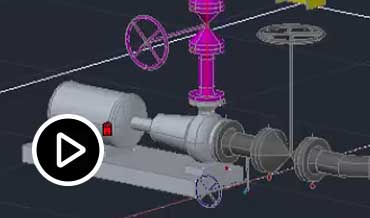
Quickly create 3D plant models using parametric equipment modeling, structural steel libraries, and project-specific piping specifications using industry standard piping catalogs. (video: 1:26 min.)


Parametric equipment templates

Create and edit equipment using parametric templates to help you build plant layouts faster.


Structural modeling

Lay out structures, stairs, ladders, and railings using industry-standard steel sections including AISC, CISC, and DIN.


Create project-specific piping specs

Customize piping specifications to meet project-specific requirements. Include industry-standard components as well as customized components.


Piping documentation

Spec Editor redesign

The Spec Editor now features a streamlined design with enhanced customization options for specs and catalogs. The redesign offers a modern, user-friendly style while maintaining the three tabs: Spec, Branch Table, and Catalog.


Create and edit piping orthographic drawings

Extract piping orthographic drawings directly from the 3D model and update them as the 3D model is being updated.


Automated production of piping isometrics

Create industry standard/project-standard piping isometric drawings directly from the 3D model.


Automated project-specific reporting

Define report formats for the project and automatically populate the data directly from the 3D model.


BIM model documentation

Work with other industry disciplines to create BIM models for the plant.


Cylinder pipes in plant

Benefits of the Plant 3D toolset

In this study, the Plant 3D toolset boosted productivity by up to 74%,* bringing significant time savings to common AutoCAD process plant design tasks.

Plant 3D workflows

Plant 3D toolset + BIM 360 Design

Plant designers use BIM 360 Design to collaborate across project teams in a cloud-based common data environment. 


Plant 3D toolset + Revit + Navisworks + InfraWorks

Use Plant 3D in the AEC Collection for spec-driven design, analysis, and construction-ready isometrics.


3D graphic of cityscape in muted hues

Autodesk AEC Collection

Streamline your workflows with Plant 3D, Civil 3D, InfraWorks, Revit, and other BIM software and tools.


*Disclaimer

Productivity data based on a series of studies commissioned by Autodesk to an outside consultant. The seven toolset studies compared basic AutoCAD to the specialized toolsets within AutoCAD when performing tasks commonly done by experienced AutoCAD users. As with all performance tests, results may vary based on machine, operating system, filters, and even source material. While every effort has been made to make the tests as fair and objective as possible, your results may differ. Product information and specifications are subject to change without notice. Autodesk provides this information “as is,” without warranty of any kind, either express or implied.