Set structural settings
Any referenced datasets can be downloaded from "Module downloads" in the module overview.
Set structural settings and units - Exercise
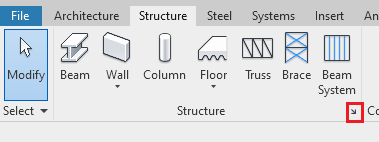
- On the structures tab click on the small diagonal arrow to open the structural setting dialogue box.
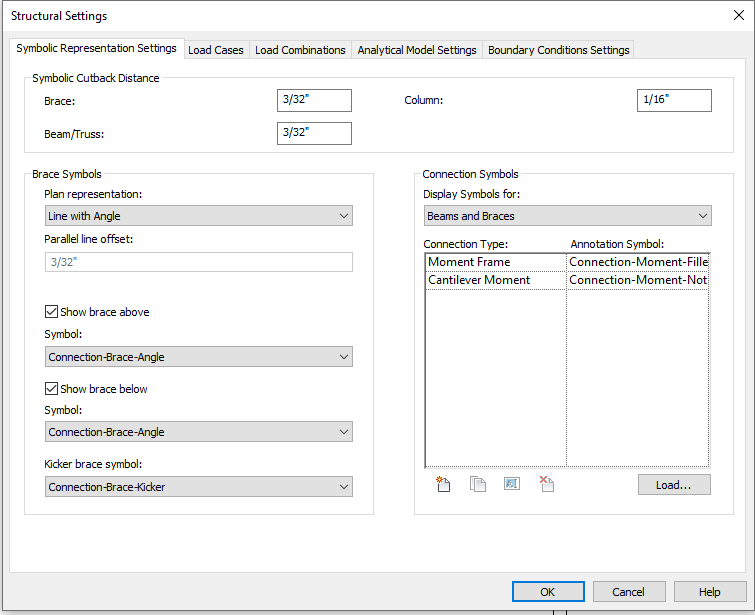
- Under Brace Symbol, change plan representation to Line with Angle. Notice that when the plan representation is changed, it automatically updates brace symbols that are used.
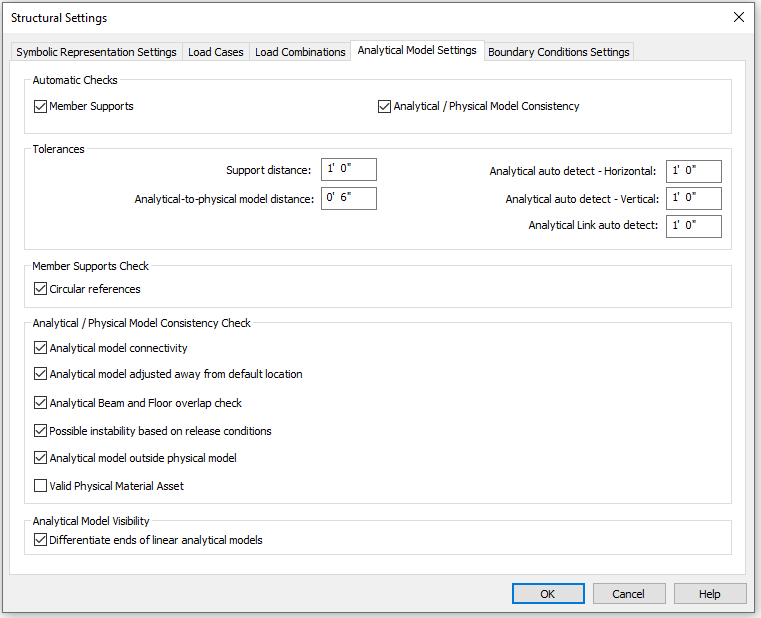
- On the Analytical Model Settings tab, under Automatic Checks, click the tick box for Member Supports and the Analytical / Physical Model Consistency. Click OK when prompted to run an Analytical Model Check. Choose No.
- On the Manage Tab, click on Project Units. Change discipline to Structural.
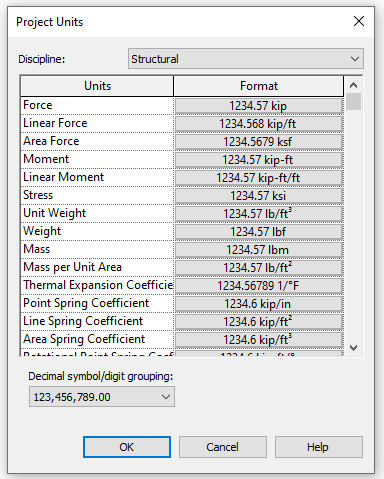
- Review the unit format.
- Click File > Save.