Adding a new cover setting
Any referenced datasets can be downloaded from "Module downloads" in the module overview.
Add a new cover setting - Exercise
Let's add a new cover setting.
- Open Revit, then the file STRUCTURAL.RVT (or open any Revit project you are working in).
- On the Structural tab, click the arrow on the Reinforcement tab.
- Select the Reinforcement Cover button (see below).

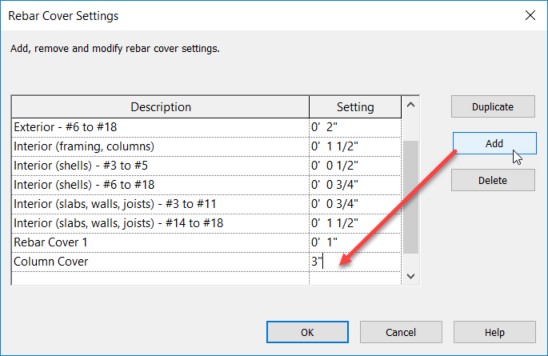
- With the Rebar Settings dialog open, click the Add button.
- Add a new cover called Column Cover and make it 3" (see below).
Now when you add rebar to a concrete element, you will have this additional setting.