Adding rebar
Any referenced datasets can be downloaded from "Module downloads" in the module overview.
Add rebar - Exercise
- Open Revit, then the file STRUCTURAL.RVT (or open any Revit project you are working in).
- Go to section 13.
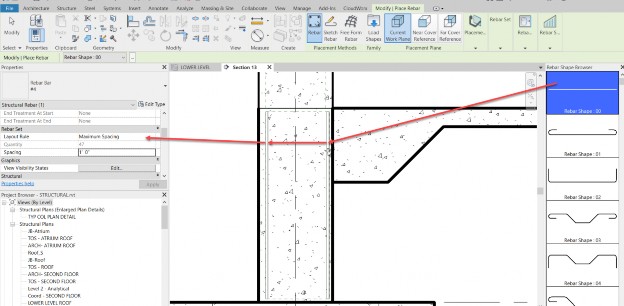
- Select the wall as shown below.
- Click the Rebar button.
- Make sure Rebar_00 is selected.
- In the properties, set the spacing to Maximum Spacing.
- Set the spacing increment to 1'-0".
- Place the bars in, as shown.
- With the command still running, select the Placement to Perpendicular to Cover, as shown below.
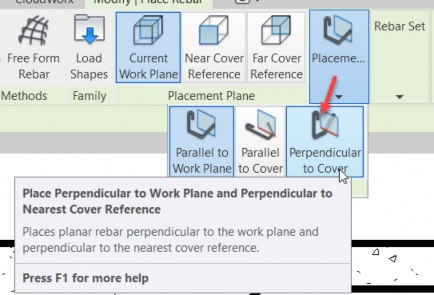
- Place the bars vertically, as shown below.

- Click the Sketch button.
- Select the wall (again).
- Sketch a dowel, as shown.
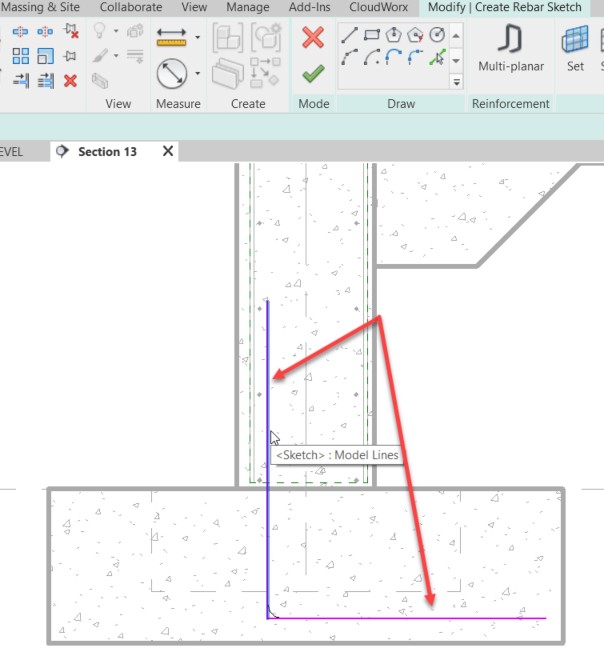
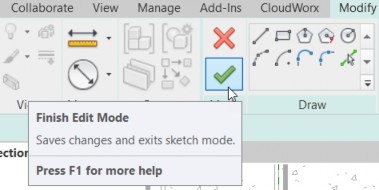
- Click Finish Edit Mode.
- Mirror the dowel.
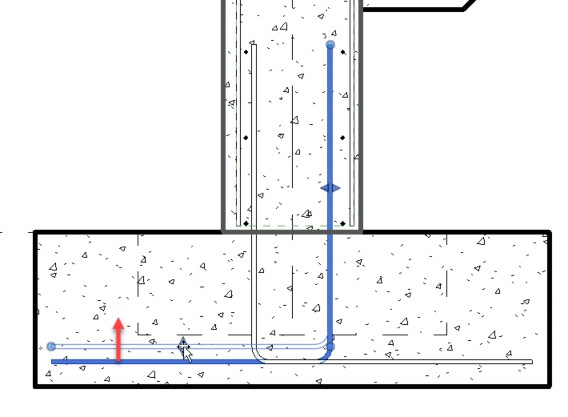
- Select the new dowel and adjust it by moving the grips that appear.